Image to Pixel Art Converter
Turn any photo into pixel art in seconds — free, no signup, and everything runs in your browser.
How to use it
- Upload an image — drag and drop a PNG, JPG or WebP, or click to browse. Nothing is uploaded — it all runs in your browser.
- Pick size & palette — keep Auto (it reads the image's own pixel grid when there is one — even from an upscaled, JPEG-compressed or grid-lined screenshot) or choose a size from
8×8to64×64; pick a color count (4–64) or lock the output to a community palette, then tune brightness, contrast and saturation live. - Clean up & export — run the Pixel Cleaner, merge colors, then open the result in the editor or save your pixel art.
How this converter works
Our free image to pixel art converter runs entirely in your browser. Upload any PNG, JPG, or WebP, pick an output size, and the tool resamples your image and reduces its palette using a median-cut quantization algorithm — the same technique used in retro game tools to pick the most representative colors. Every change updates the preview live.
Features
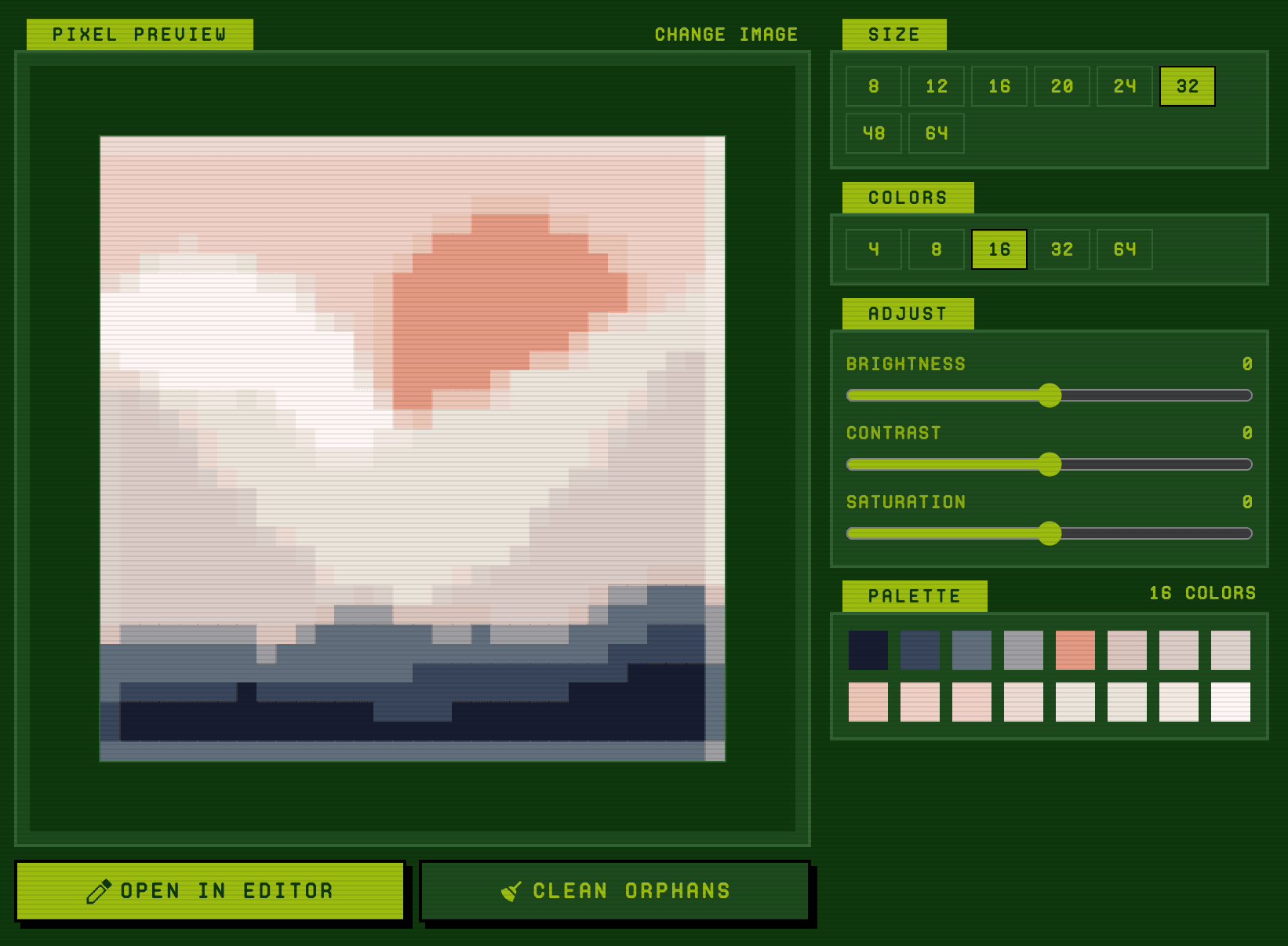
- Flexible output size — convert to 8×8, 16×16, 32×32, 48×48, or up to 64×64 pixels. Aspect ratio preserved automatically.
- Palette control — limit to 4, 8, 16, 32, or 64 colors. Smaller palettes produce that crisp retro look; larger palettes keep more detail.
- Live image adjustments — brightness, contrast, and saturation sliders re-run the conversion on every change.
- Pixel Cleaner — removes orphan pixels (isolated single dots with no matching neighbor), replacing them with the majority color around them.
- Auto size — pixel art that was exported at 8× or screenshotted with grid lines is read back at its true resolution, cell for cell, instead of being blindly resampled.
- Transparent background — cut a uniform backdrop to real transparency; the sprite lands in the editor with nothing behind it.
- Dithering — ordered (Bayer) dithering fakes the gradients a small palette can't hold; best on photos.
- Color Swap & Merge — click any palette swatch to pick a replacement color, or merge two palette colors into one to simplify your output.
- One-click editor handoff — open the result in the full pixel art editor for touch-ups, layers, export to PNG/SVG/JSON, and sharing.
Screenshot
Frequently asked questions
Tap a question to expandIs this tool really free?
Yes. The entire converter runs in your browser. No account, no watermark, no upload to any server.
What image formats are supported?
PNG, JPG, and WebP. Drag and drop a file onto the upload area or click to browse.
How does the Pixel Cleaner work?
It scans the output for pixels that have no same-colored neighbors (orphans) and replaces each one with the majority color of its four-direction neighbors. This smooths out speckle that quantization often produces from photos.
Can I edit the result after conversion?
Yes. Click Open in Editor to load the converted pixel art into our full online editor with brush, fill, layers, undo/redo, and export options.
What's the difference between this and other pixel art converters?
Auto size that reads real pixel art back at its native resolution (most converters blindly resample it), transparent background removal, Bayer dithering, live preview on every setting change, color merge, an orphan-pixel cleaner, and a direct handoff to a full editor. No downloads, no signup.
What does the Auto size do?
If your image is pixel art that was upscaled, screenshotted, JPEG-compressed, or captured with grid lines, Auto detects the original cell size and reads the art back cell for cell — no detail lost, no blur. For photos it estimates a sensible output size instead.